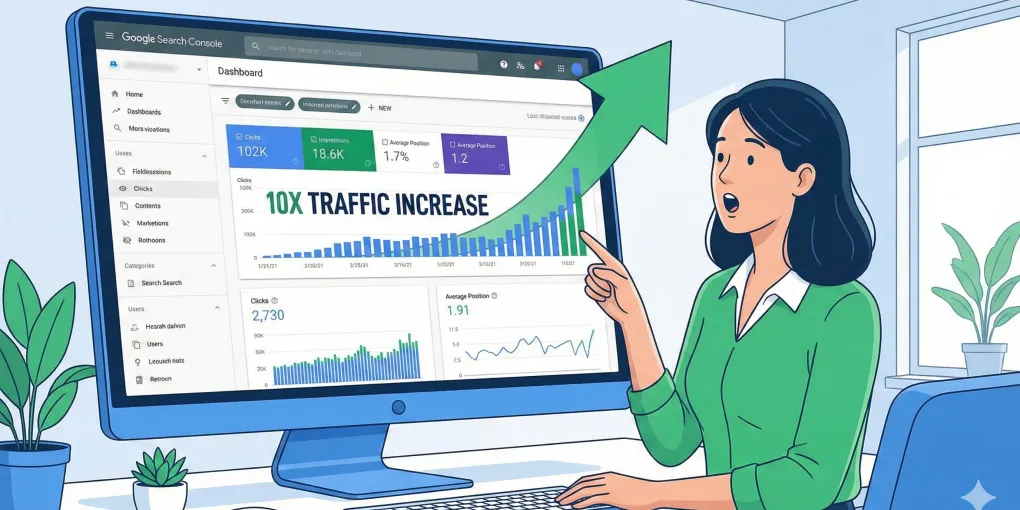
Advanced Google Search Console Tricks: Unlock 10x More SEO Data for Free
Hi everyone, this is Neo.
If you run an independent site and do SEO, haven’t you often felt like Google Search Console (GSC) just doesn’t give you “enough” data?
You want to see which keywords are actually driving traffic to your site, but the report cuts off at 1,000 rows — everything after that is just an ellipsis. And even when you do get some data, Google frequently collapses it behind “privacy protection,” leaving you staring at the numbers like you’re looking through frosted glass — you can never quite see what’s really going on.
Today, I’m going to share an advanced trick I’ve been keeping in my back pocket for a long time. It won’t cost you a single cent, it easily blows past GSC’s limits, and it can multiply your data 10x or more, so you can see your site’s SEO performance more clearly and accurately than ever.
Part 1: Why Does Your GSC Data Always Feel “Not Enough”?
Before I reveal the secret, let’s first understand exactly what “walls” GSC puts up for us:
-
The 1,000-row limit: This is the most frustrating one. In GSC’s Performance report — whether you’re looking at queries or pages — you only ever get 1,000 rows. For a site with a decent amount of content, those 1,000 rows might represent less than 10% of your total keyword count. Tons of long-tail keywords that drive precise traffic, like “custom logo printed paper bags for retail,” get “ellipsis’d” out of existence, and you have no idea they even exist — let alone any chance to optimize them.
-
Data sampling and anonymization: The GSC data you see isn’t actually 100% complete. To “protect user privacy,” Google anonymizes queries with very low search volume. Sometimes you’ll notice that the total clicks across all keywords don’t match the total clicks on your site — that gap is likely data Google has “hidden” from you. This can make you misjudge which pages are really pulling their weight.
-
API call limits: For medium and large sites — especially e-commerce sites with tens of thousands of pages — checking URL indexing status daily is a genuine need. But the GSC API only gives you a daily quota of 2,000 calls. If you have 10,000 new product pages and you’re desperate to know their indexing status, a 2,000-call quota is a drop in the bucket — you’d be queued up for five days just to check them all.
These limits are like invisible walls standing between you and deeper analysis and optimization. But here’s the good news: there’s a way to “legally” get around all of them.
Part 2: The “Multiple Properties” Strategy — A Free Secret to Squeeze Every Drop Out of GSC
The core of this trick comes down to four words: add more properties.
You might not know this, but one Google account can add up to 1,000 properties in GSC.
Most people only add a single “Domain” property — your main domain, example.com. But GSC also lets you add “URL prefix” properties.
The core move is this: beyond your main domain, add the important subdirectories of your site — like /blog/, /products/, /case-studies/, etc. — to GSC as their own “URL prefix” properties.
A foolproof step-by-step guide:
It’s incredibly easy, because since you’ve already verified your main domain, GSC automatically confirms your ownership when you add subdirectory properties. The whole process is buttery smooth and done in seconds.
- Step one: Log into GSC, click the property list in the top-left corner, and choose “Add property.”
- Step two: In the pop-up window, pick “URL prefix” on the right side, then enter the full URL of the subdirectory you want to track separately, like
https://www.yourdomain.com/blog/. - Step three: Click “Continue.” Since the domain is already verified, GSC will instantly show “Ownership automatically verified.”
- Step four: Done! Wait a day or two and you’ll see dedicated data for the
/blog/directory inside this new property.
Repeat these steps for every core directory you care about.
The massive payoffs of the “multiple properties” strategy:
-
Payoff one: unlock a flood of keywords — 10x more data overnight! This is the most direct benefit. Before, you could only see 1,000 keywords for your whole site. Now, create a property for
/blog/and you get the 1,000 keywords driving traffic to your blog; create one for/products/and you get the 1,000 keywords driving traffic to your product pages.- 1 property = 1,000 keyword rows
- 10 properties = 10,000 keyword rows! Your data volume just multiplied by 10, and it’s far more precise, too.
-
Payoff two: granular performance tracking — say goodbye to “everything in one pot”! You can now clearly compare how different sections of your site perform on SEO.
- B2B site example: Is your
/blog/directory really attracting prospects searching for informational keywords like “how to choose industrial valves”? And is your/products/directory successfully capturing purchase-intent searches like “buy gate valves online”? With separate property reports, it’s all right there in front of you. - B2C site example: You can create separate properties for
/dresses/and/shoes/. Are dresses selling better, or are shoes pulling in more traffic? Which category’s keyword strategy is winning? All these questions finally have answers.
- B2B site example: Is your
-
Payoff three: break past the Indexing API limit — a lifesaver for big sites! Earlier I mentioned the API caps out at 2,000 URL checks per day. But that quota is per property!
- 1 property = 2,000 calls/day
- 5 properties = 10,000 calls/day! If you run an e-commerce site with tens of thousands of SKUs, this trick lets you check the indexing status of 10,000 or more pages every single day — a 5x efficiency boost!
-
Payoff four: pinpoint crawl and indexing issues When GSC tells you a bunch of pages are “Crawled - currently not indexed,” looking at it under your main domain property can leave you scratching your head. But if you’ve set up a separate property for
/blog/and you see the problem concentrated there, you instantly know the issue is with your blog content or structure — and you can investigate and fix it precisely, instead of hunting for a needle in a haystack.
Part 3: B2B vs B2C — Real-World Scenarios
This trick isn’t just theory — you can put it to work on your site the moment you finish reading this.
-
For B2C sites (say, a fast-fashion brand):
- You can create: properties for
/dresses/,/tops/,/new-arrivals/, etc. - What you’ll discover: which long-tail keywords drive traffic specifically to your dress category. For example, you might find that “summer floral midi dress for wedding guest” has modest search volume but converts like crazy. That insight can directly guide your product description optimization and ad spend. You can also quickly tell whether your “tops” category is lagging behind “dresses” and needs more investment.
- You can create: properties for
-
For B2B sites (say, an industrial valve manufacturer):
- You can create: properties for
/products/,/blog/,/case-studies/,/about-us/, etc. - What you’ll discover: is your content marketing actually working? Through the
/blog/property, you can see whether your technical articles are really pulling in engineers and procurement managers searching for professional questions like “high pressure ball valve material selection.” Through the/products/property, you can evaluate whether your product pages are capturing high-intent commercial keywords like “industrial valve supplier in Germany.” This lets you measure the ROI of your content marketing with real precision.
- You can create: properties for
Part 4: Are There Any Alternatives?
Of course, there are excellent paid SEO tools out there — Ahrefs, SEMrush, or specialized GSC data tools — that can also help you get around these data limits.
But the “multiple properties” strategy we shared today is the only approach that gets you a similar result completely free. For the vast majority of independent site sellers and budget-conscious startups, there’s simply no better value for money.
Summary: Take Action and Mine Your Data Goldmine!
Alright, let’s quickly recap today’s key takeaways:
- The problem: GSC’s 1,000-row limit, API call caps, and so on stop you from seeing your full SEO picture.
- The fix: GSC allows up to 1,000 properties — create separate “URL prefix” properties for your site’s important subdirectories.
- The payoff: 10x more data for free, granular tracking, smashed API limits, and precisely pinpointed issues.
This trick is simple, free, and incredibly powerful. It upgrades you from a “roughly guessing” SEO operator to a “data analyst” holding precise numbers in your hands.
So right now, open up your GSC and start adding new properties for your site’s core directories. In a day or two, go see what treasures you can dig out of all that “new” data.
Reference:
- How To Make Search Console Work Harder For You (searchenginejournal.com)