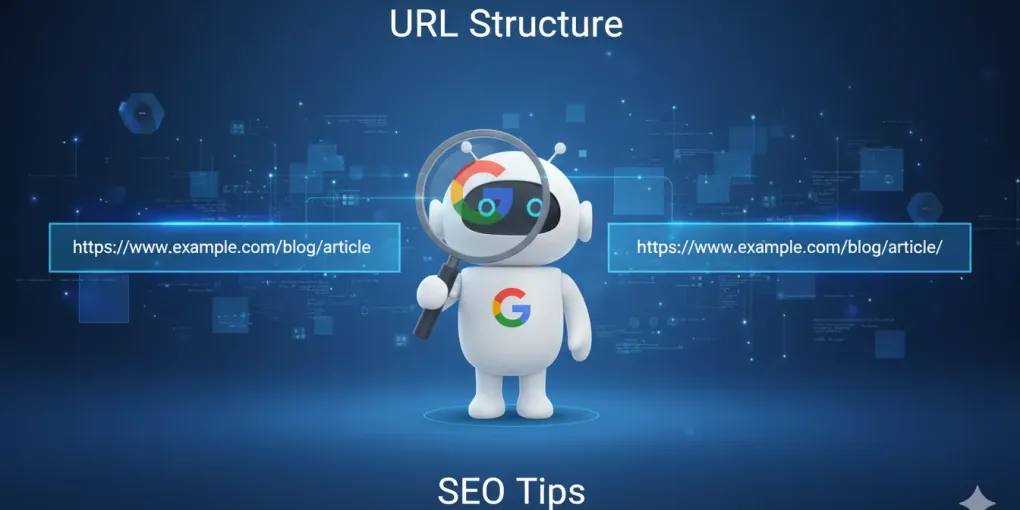
Your Homepage and SEO: Does the Trailing Slash Really Matter?
Hi everyone, this is Neo.
Yesterday a friend running an independent site came to me in a panic: “Neo, I noticed my homepage URL sometimes has a slash / at the end and sometimes doesn’t. What’s the difference? Will it hurt my Google rankings?”
This is a classic detail that almost everyone overlooks.
Most people think https://yoursite.com and https://yoursite.com/ are the same thing. They look identical in the browser, right?
But in the eyes of search engines (like Google), it’s not that simple. Today, let’s dig into the SEO mystery behind this “slash.”
1. The Verdict First: What Does Google Say?
No suspense — let me give you the answer straight up.
1. For your homepage (root domain)
No difference.
Google’s very own John Mueller has said it clearly: for the hostname, whether you include the trailing slash or not is irrelevant. In other words, https://yoursite.com and https://yoursite.com/ are automatically treated as the same thing by Google.
2. For inner pages (subpages/directories)
Huge difference!
This is the critical part. For inner pages:
https://yoursite.com/pagehttps://yoursite.com/page/
These are two completely different URLs!
If both versions of your links are accessible and show the same content, congratulations — you’ve stepped into a classic SEO trap: duplicate content.
2. Why Bother With This “Slash”?
1. A legacy issue: files vs. folders
Back in the early days of the internet, the slash had a clear meaning:
- No slash (e.g.,
yoursite.com/page): usually represented a file. - With slash (e.g.,
yoursite.com/page/): usually represented a folder (directory).
Even though modern website tech (CMS systems) hasn’t been bound by this for ages, search engines still carry that distinction in their crawling logic.
2. The SEO hazard: diluted link equity
Say you write a viral post, and one person links to .../blog/seo-tips while another links to .../blog/seo-tips/.
- Without proper canonicalization, Google sees these as two pages.
- The PageRank from your hard-earned backlinks gets split between the two.
- You could’ve ranked #1, but because of the split, both pages end up stuck on page two.
3. Neo’s Practical Advice: How to Avoid the Trap
Even though Google auto-recognizes the homepage, I recommend following these best practices to keep your site architecture clean and consistent.
1. Pick one “official” version
You need to make a decision: will all URLs across your site use the trailing slash, or won’t they?
- Most cases (recommended): Directory-style URLs use trailing slashes, e.g.,
yoursite.com/about-us/. - Some cases: It’s fine not to, as long as it’s consistent sitewide.
2. Server-side 301 redirects (the hardcore fix)
This is the most thorough solution. No matter which version a user (or crawler) enters, the server force-redirects to the “official” version you chose.
If you’re on Nginx, here’s a config you can reference (maybe send this to your tech guy):
Scenario: force a trailing slash on all requests (except actual files)
# If the request isn't a file and doesn't end with a slash, 301 redirect to the trailing-slash version
if (!-f $request_filename) {
    rewrite ^(.*[^/])$ $1/ permanent;
}
Or, use Nginx’s default behavior:
location / {
    # Try to find the file; if not found, look for the directory (auto-appends slash)
    try_files $uri $uri/ =404;
}
3. Canonical tags (double insurance)
Even with the server configured, surprises can still happen (like parameterized URLs). That’s when the Canonical tag is your lifeline.
In the <head> of every page, you must clearly tell Google which URL is the standard one.
Code example:
<link rel="canonical" href="https://yoursite.com/about-us/" />Whether a user arrives via .../about-us or .../about-us?source=wechat, Google sees this line and knows: “Oh, all link equity counts toward .../about-us/.”
4. Keep internal links consistent
This is where operators make mistakes the most.
- Don’t just wing it when inserting internal links in articles.
- If you’ve decided on trailing slashes, every internal link’s
href="..."must include the slash. - Don’t make users hit a redirect after clicking a link — it adds server load and slightly slows page load (and in SEO, speed is money).
4. Neo’s Take
Honestly, for the homepage, don’t stress too much. Modern browsers and servers are smart — type in google.com and it quietly handles the rest for you.
But for B2B or B2C independent site operations, canonicalization of inner pages is something you absolutely can’t ignore.
When I do site-group diagnostics, I constantly find sellers whose same product page is reachable via /product/shoes, /product/shoes/, and even /product/shoes.html.
That’s like opening three identical branch stores and splitting your customers between them — in the end, none of them gathers any real foot traffic.
In one sentence: Homepage doesn’t matter; inner pages must be unified. Pick one style (trailing slash recommended), then use 301 redirects and canonical tags to lock all traffic and link equity onto that single URL.
References
- Google Search Central: Consolidate duplicate URLs
- John Mueller (Google) on Trailing Slashes